.png)
Most people rewrite their resume in one of two situations: when they're desperately job hunting and firing off applications everywhere, or when a really good opportunity lands in their inbox and they suddenly care a lot about getting it right.
Both situations have the same problem. The generic resume you've been sending is not doing you justice. And starting from scratch feels like too much work for something that might not even pan out.
There's a better way to handle this, a way that works whether you're actively applying to 30 roles a month or just keeping your options open.
Why "one resume fits all" quietly kills your chances
Here's what's actually happening when you submit a generic resume.
Recruiters at high-volume companies spend an average of 6 to 7 seconds on an initial resume scan. Instead of reading, as you would have thought, they do pattern-matching. They are looking for signals that you understood the job posting and that your background aligns with what they need. A generic resume rarely gives them that signal cleanly.
On top of that, most mid-size and large companies now use Applicant Tracking Systems (ATS) to organize and prioritize applications. The commonly repeated stat, that "75% of resumes are auto-rejected by ATS" — has largely been debunked. A 2025 study of 25 US recruiters found that 92% of ATS systems rank and prioritize the content. A resume with language that closely mirrors the job description floats to the top. Unfortunately, the human reviewing about 400 applications would simply select the top ranked applications.
The real problem is not the algorithm but relevance. And relevance requires tailoring.
What tailoring actually means
Tailoring your resume does not mean lying, inflating your experience, or rewriting your entire work history for every application.
It means three things:
1. Matching your language to theirs
If a job posting says "cross-functional stakeholder management" and your resume says "worked with multiple teams," you're describing the same thing in different words. This is a major disconnect between the recruiter's brain or the ATS and your resume. The solution to this gap is mirroring the language in the job description in your resume.
2. Leading with what's most relevant
Your resume can include everything you've done, but the order and emphasis should shift depending on the role. A product manager applying to a data-heavy role should lead with analytics wins. The same person applying to a consumer app role should lead with user research and growth metrics. The facts don't change, you only adjusted the framing.
3. Cutting what doesn't serve the story
Every line on your resume is either helping or diluting. If you're applying to a senior marketing role, the part-time retail job from eight years ago probably isn't earning its space. Tailoring means intentional editing, not just adding.
None of this requires starting from scratch. It requires a strong master version of your resume — and a smart process for adapting it.
The master resume: your single source of truth
Before you can tailor efficiently, you need one document (or profile) that contains everything: every role, every result, every skill, every project. This is your master resume. You never send this one out. It's your raw material.
When you're building this, you include:
- Every job with specific, quantified results where possible ("Increased email open rate by 34%" is more useful raw material than "Improved email performance")
- Skills you've used, even if you're not currently using them
- Side projects, freelance work, and anything that demonstrates capability
- Certifications, courses, and education
This master version is what you pull from when tailoring. The goal is to make the tailoring step fast.
Where most people stall: the application itself
Here's the part nobody talks about enough.
Even when you've tailored your resume well, the application process itself is exhausting. Most job applications don't just ask for a resume. They ask you to re-enter your entire work history into their own form fields (name, address, phone number, employment history, education, and then a handful of open-ended questions on top). You end up manually copying information you already have, into a system that already has your resume, just in a different format.
For someone applying to 10, 20, or 30 roles at a time, because that is the reasonable volume for someone in a serious job search. This repetitive data entry adds up to hours of required application time every week. Time that could go toward researching companies, preparing for interviews, or just not burning out.
This is the problem the hello.cv Autofill Chrome extension was built to solve.
How hello.cv Autofill works
hello.cv Autofill is a Chrome extension that connects to your hello.cv profile and uses it to fill out job applications automatically. Your hello.cv profile is the structured, AI-built professional profile you already have on your personal .cv domain.

Here's how it plays out in practice:
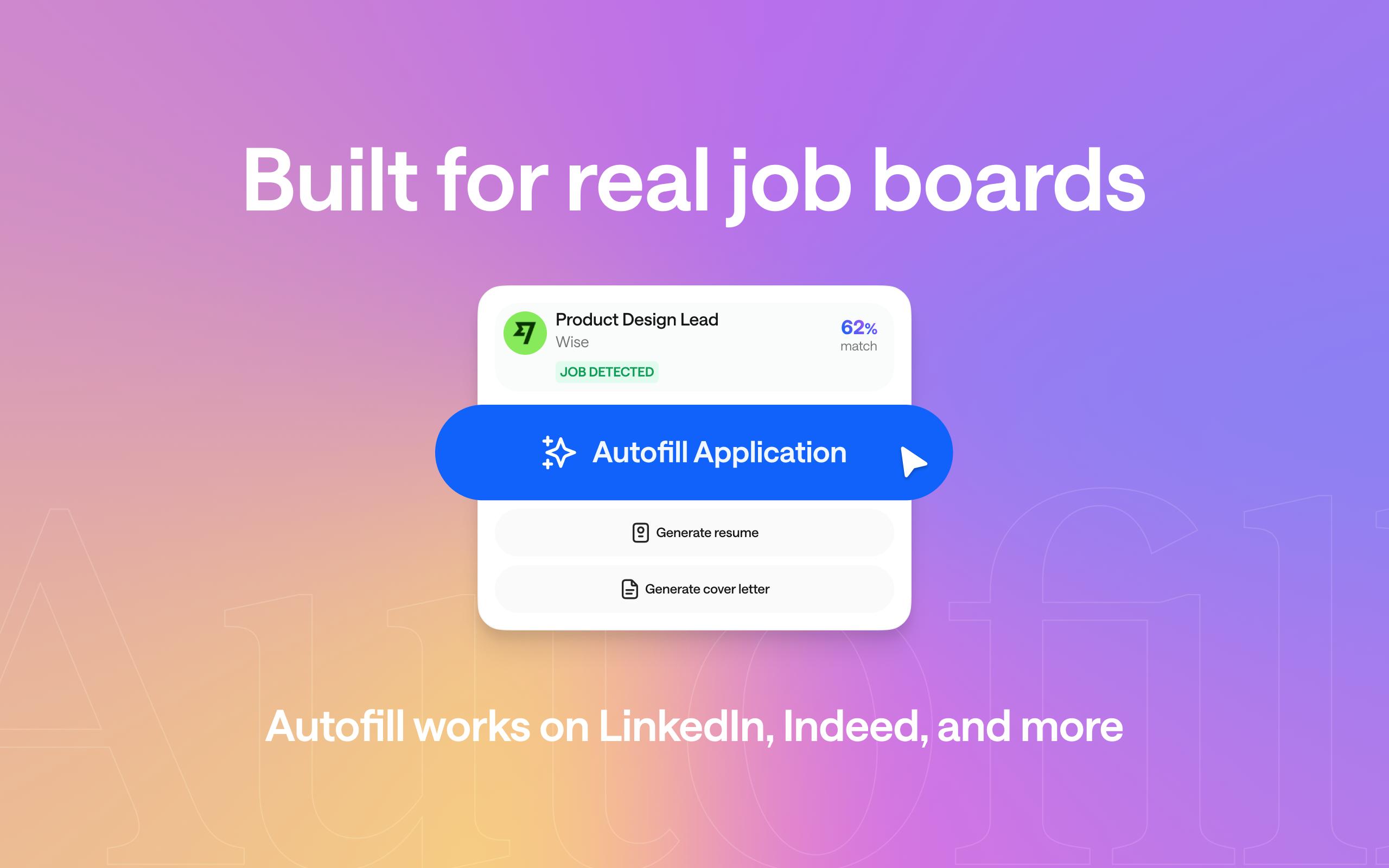
You're on a job posting (let’s say LinkedIn, Indeed, Workday, Greenhouse, or wherever the role lives) and you click through to apply. Instead of manually typing your name, contact details, work history, and education into each field, hello.cv Autofill detects the application form and fills it in from your profile. The information is already there. You just review it, make any role-specific edits you want, and submit.
This matters more than it sounds. Enterprise ATS platforms like Workday and Greenhouse are notoriously tedious. They have multi-step forms, custom dropdowns, repeated fields across pages. Autofill handles all of that, not just the straightforward LinkedIn Easy Apply flow.
But it goes further than basic form-filling.
Because your hello.cv profile is AI-structured and contains your full professional history, the extension can also pull tailored resumes and cover letters generated from that profile data and matches it to the specific job you're applying for. So instead of attaching the same PDF every time, you're attaching a version that's been aligned to the role.
The result: you spend your time on the 5% of the application that actually requires human judgment and the other 95% happens automatically.
.png)
Setting it up (it takes about five minutes)
If you don't already have a hello.cv profile:
- Go to hello.cv and sign up — it's free
- Upload your resume or import from LinkedIn
- The AI parses your experience and builds your structured profile automatically
- Claim your personal .cv domain (e.g., FirstnameLastname.cv)
- Review and publish your profile
Once your profile is live:
- Install the hello.cv Autofill extension from the Chrome Web Store
- Connect it to your hello.cv account
- Navigate to any job application and let it work
Your profile becomes the single source of truth — the master resume made digital, always current, always accessible from your browser.
The combination that actually works
.png)
Autofill doesn't replace the tailoring step. It accelerates everything around it.
The framework still applies: you read the job description, you identify what matters, you make smart edits. But instead of that process eating two hours of form-filling on top of it, the mechanical parts such as; the data entry, the formatting, the tailored resumes & cover letters, the repetitive fields are handled.
What you're left with is a job search that's both high-quality and high-volume. Not one or the other.
A focused active job search in 2026 probably means applying to somewhere between 20 and 50 well-matched roles over a period of weeks, with each application genuinely tailored. Without a system like this, that's a part-time job in itself. With it, it's manageable alongside everything else you're doing.
And if you're not actively searching right now — just keeping an eye out for the right thing — the same principle applies. When a role catches your attention, you want to be able to act quickly and well, not spend a Sunday afternoon rebuilding a document from memory.
A few things that are worth keeping manual
Not everything should be automated, and it's worth being clear about that.
The summary and open-ended questions deserve real thought
When an application asks "Why do you want to work here?" or "What makes you a strong fit for this role?". Those answers matter because recruiters can tell when they're templated. You should take the time to make them to review those autofilled answers.
Research the company before you apply.
A tailored resume gets you in the door. Knowing why you want to be there gets you through the interview.
Don't apply to roles you're not genuinely interested in just because it's easy.
Speed makes it tempting to fire off applications everywhere. But interviews take time, and an offer for a job you don't actually want is not progress but a distraction.
Autofill is a tool for removing friction, not for removing judgment. The thinking still has to come from you.
The bottom line
Tailoring your resume for every job is not optional in 2026. The good news is it doesn't have to mean starting from scratch every time. A strong master profile, a clear framework for adapting it, and the right tools to handle the repetitive parts of the process make it genuinely sustainable.
hello.cv gives you all three: a structured AI-built profile that acts as your master resume, resume templates that auto-format for any application, and an Autofill Chrome extension that cuts the time between "I want to apply to this" and "application submitted."
The job search is hard enough on its own. The process around it just got simplified.
Ready to build your profile and install Autofill?
Start free at hello.cv — your personal .cv domain is included.
---------------------------------------------------------------------------------------------------------------
hello.cv is the AI-powered professional profile platform that turns your resume into a live, shareable .cv website — with tools for job matching, cover letter generation, and now, one-click application autofill.