If you've applied for jobs recently, you already know the drill.
You find a role on LinkedIn or Indeed that actually looks interesting. You click apply. And then, for the next 10 to 20 minutes, you're typing your name, your phone number, your current job title, your previous job title, your start dates, your end dates, literally all the information that's sitting right there on your resume, into a form that will ask for all of it again on the next application you open.
It's neither a skill nor judgment. Rather, it is data entry and it all adds up fast.
A 2025 survey of over 1,500 Americans found that job seekers spend an average of 26 hours just filling out application forms during a typical job search. this does not include counting interview prep, follow-ups, or anything else. That is more than three full workdays spent copying and pasting information you already have.
This post explains how autofill works on LinkedIn and Indeed, where it falls short, and how AI-powered autofill with hello.cv closes those gaps.
How LinkedIn's application process actually works
LinkedIn has two distinct application flows, and the difference between them matters.
LinkedIn Easy Apply lets you apply without leaving the platform. When a job posting has the Easy Apply button, the application pulls information directly from your LinkedIn profile; your name, contact details, current role, work history, and education. You can upload a resume, answer any screening questions the employer added, and submit. For straightforward applications, the whole thing can take under two minutes.
The catch is that Easy Apply is not universal. A significant portion of jobs posted on LinkedIn use a standard Apply button instead, which redirects you to the company's own careers page or ATS. There, you are filling out a fresh form from scratch, regardless of what's on your LinkedIn profile.
Even on Easy Apply, there are limitations. Your LinkedIn profile is a fixed document. You cannot meaningfully tailor it per application. The same profile goes to every role. And because Easy Apply is, by design, frictionless for candidates, it's also high-volume for recruiters. Entry-level roles on LinkedIn commonly attract hundreds of applications within hours of posting. A generic, unoptimized submission is easy to submit and similarly, easy to overlook.
How Indeed's application process works
Indeed operates similarly, with its own split between native and external applications.
Jobs with an "Easily apply" badge use Indeed Apply, which lets candidates submit using their saved Indeed profile and resume without being redirected. Indeed reports that employers using Indeed Apply receive significantly more completed applications than those routing candidates off-platform.
But just like LinkedIn, many Indeed listings redirect to the employer's own site. And once you're on a company's careers page or ATS you're back to manual form-filling.
The other issue with both platforms is that their native autofill only knows what you've given them. Your Indeed profile fills Indeed forms. Your LinkedIn profile fills LinkedIn forms. Neither carries over to external applications, and neither can generate a tailored resume for the specific role you're applying to.
Where standard autofill breaks down
The native autofill on LinkedIn and Indeed is useful for the simple stuff; name, email, phone number. It starts to fall apart in a few common situations:
External applications. The moment a listing redirects you off LinkedIn or Indeed, their autofill stops working. You're on a Workday or Greenhouse form, starting over.
Custom screening questions. Most applications now include open-ended questions: "Why are you interested in this role?" or "Describe your experience with X." Profile-based autofill can't answer these. You write them fresh every time.
Resume attachment. LinkedIn Easy Apply accepts a resume upload, but it's easy to accidentally attach a previous version or a non-tailored file if you're not paying close attention. The form doesn't flag this.
Multi-step enterprise forms. ATS platforms like Workday are notorious for breaking a single application into five or six separate pages, each with its own set of fields. Browser-level autofill handles some of these inconsistently, especially custom dropdowns and date pickers.
None of this is actually a fatal flaw, plenty of people navigate it fine. But if you're applying to 10 or 20 roles in a week, these friction points compound.
How hello.cv Autofill works differently
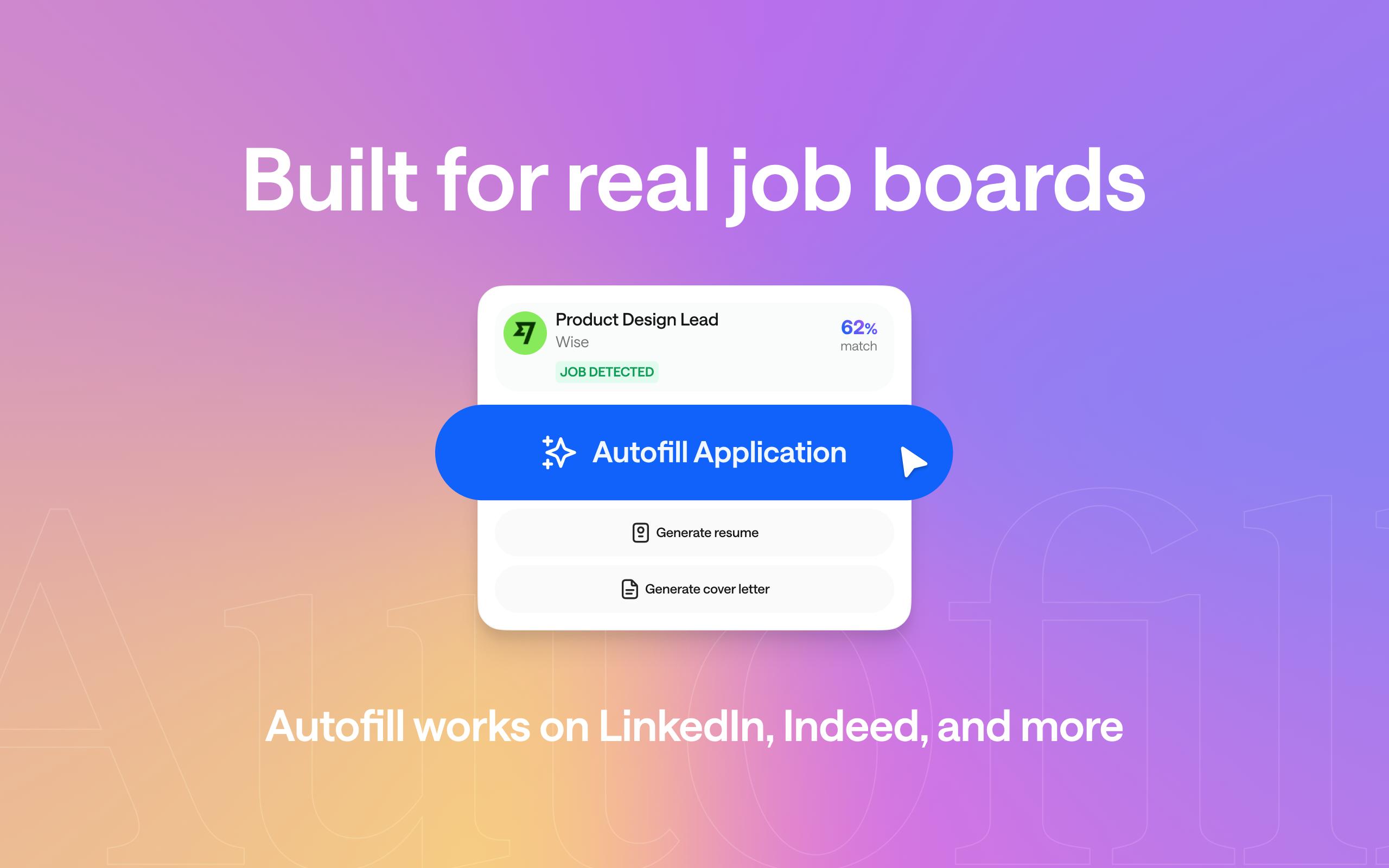
hello.cv Autofill is a Chrome extension that connects to your hello.cv profile; a structured, AI-built professional profile hosted on your personal .cv domain; and uses it to fill out job applications across platforms.
.png)
The key difference from native platform autofill is scope. It works on LinkedIn Easy Apply, Indeed Apply, and 140+ platforms that both platforms mightredirect you to. The extension detects the form fields on whatever page you're on and maps your profile data to them.
Because your hello.cv profile is AI-structured from your resume and contains your complete professional history, it's a richer source of data than a LinkedIn or Indeed profile alone. The extension can also generate a tailored resume and cover letter from that profile data, matched to the specific job you're applying for, so you're not attaching the same generic PDF to every application.
The flow in practice:
- You find a role on LinkedIn, Indeed, or directly on a company's careers page
- You click through to apply
- hello.cv Autofill detects the application form
- It fills in your details from your profile automatically
- You review the filled fields, make any role-specific edits, and submit
You stay in control of every submission. The extension fills; you verify and send.
Setting up hello.cv Autofill
Step 1: Build your hello.cv profile
If you don't have one yet, go to hello.cv and sign up — it's free. Upload your resume or enter your LinkedIn URL. The AI parses your experience, structures it into sections (work history, education, skills, projects, certifications), and generates your profile automatically. Review it, make any edits, and publish.
Your profile gets a personal .cv domain (FirstnameLastname.cv) that's yours permanently. This profile is the single source of truth the extension pulls from.
Step 2: Install the Chrome extension
Install hello.cv Autofill from the Chrome Web Store and connect it to your hello.cv account. That's the setup done.
Step 3: Apply
Navigate to any job posting on LinkedIn, Indeed, or a company's careers page. When you open the application form, hello.cv Autofill detects it and fills in your details. On more complex forms such as; multi-step Workday applications, Greenhouse forms with custom fields — it handles those too.
The whole setup takes about five minutes. After that, it's available on every application you open in Chrome.
What autofill handles and what you still own
Autofill is not a replacement for judgment. It's a tool for removing the repetitive parts so your judgment can go somewhere useful.
.png)
Here's how to think about the split:
Let autofill handle: your name and contact information, work history fields (company, title, dates, responsibilities), education, skills, resume & cover letter attachment and open-ended screening questions
You handle: Final review of every field before you submit. Even with autofill, spending a minute reviewing the form is worth it, especially for roles you care about.
The goal isn't to apply to as many jobs as possible as fast as possible. The goal is to remove the part of the process that was never adding value —the repetitive data entry — so you can spend more time on the part that does: understanding the role, matching your experience to what they actually need, and preparing to make a strong impression if they call.
A note on LinkedIn Easy Apply specifically
One thing worth knowing: LinkedIn Easy Apply applications are high-volume by nature. Because the barrier to apply is low, recruiters for popular roles can receive several hundred applications in the first 24 to 48 hours. Applying early tends to help. Some recruiters have noted they work through applications roughly in the order they arrive, and pause postings once they have enough to review.
This isn't an argument against using Easy Apply. It's an argument for making sure your LinkedIn profile is complete and your attached resume is tailored.
hello.cv Autofill helps here because it makes attaching the right resume the default behavior, not an afterthought.
The bottom line
LinkedIn and Indeed's native autofill tools are useful but limited. They work within their own platforms, they can't follow you to external applications, and they have no ability to generate role-specific documents.
hello.cv Autofill covers the full application surface, (LinkedIn, Indeed, Workday, Greenhouse and 140+ more) and connects your application to a living, AI-structured professional profile rather than a static saved form.
The data entry was never the point of a job application. With Autofill, it's no longer the obstacle either.
Install hello.cv Autofill from the Chrome Web Store and build your free profile at hello.cv.
------------------------------------------------------------------------------------------------------------------
hello.cv is the AI-powered professional profile platform that gives you a personal .cv domain, AI career tools, and now, autofill for job applications on LinkedIn, Indeed, Workday, Greenhouse, and more.